
Favicon Sizes: Every Size Your Website Needs (16, 32, 180, 192, 512)
What size should a favicon be? Here is every size in one table, what each one is for, the size Google uses and how to make all the files from a single image.
AI writing tools, image and PDF tools, student calculators and unit converters. Free, fast and no sign-up: your files never leave your device.
Pick a tool, add your file and download the result. No account needed.
Shrink JPG, PNG and WebP files while keeping them sharp.
Change image dimensions by pixels or percentage.
Fix spelling, grammar and punctuation mistakes.
Convert JPG photos to lossless PNG files.
Convert PNG images to smaller JPG files.
Convert images to WebP, or WebP back to JPG or PNG.
Combine one or more images into a single PDF.
Turn PDF pages into PNG or JPG images.
Make a weekly study timetable from your subjects, days and study hours.
Crop images freely or to a fixed aspect ratio.
Combine several PDF files into one, in the order you choose.
Split a PDF into separate files or extract the pages you need.
Make PDF files smaller for email, WhatsApp and online forms.
Number the pages of a PDF, with your choice of position and style.
Every tool follows the same three steps, so once you have used one, you know them all.
Drag and drop a file onto the tool, or choose one from your device.
Set the size, quality, format or position, and preview the result.
Your new file is created instantly in your browser, ready to save.
Work out your percentage, GPA and CGPA, check your attendance, and plan your study week.
Turn your marks into a percentage, or find a percentage of any number.
Find your cumulative GPA from each semester’s GPA and credit hours.
Calculate your semester GPA from course grades or marks and credit hours.
Find your letter grade from marks, or from weighted quizzes, assignments and exams.
See your attendance percentage and how many classes you can miss.
Find out what you need in the final exam to pass or reach your target grade.
Make a weekly study timetable from your subjects, days and study hours.
Count words and characters in your assignment and check it against a word limit.
Calculate your exact age in years, months and days from your date of birth.
Plan how many hours to study each week or each day before an exam.
Convert CGPA to percentage and percentage to CGPA on 4.0, 5.0 and 10 scales.
Work out your MBBS and BDS merit from Matric, FSc and MDCAT marks.
Calculate your UET engineering merit from Matric, FSc and ECAT marks.
Calculate your NUST merit from Matric, FSc and NET marks.
Calculate your university merit with FAST, NUST, UET, MDCAT or your own weights.
Humanize AI text, check for AI writing, paraphrase, fix grammar and summarize. No sign-up, no subscription.
Make stiff or AI-written text sound natural and clear.
Check how likely a text is to be written by AI.
Reword sentences and paragraphs in four styles.
Fix spelling, grammar and punctuation mistakes.
Turn long text into a short summary or bullet points.
Format JSON and SQL, minify CSS and JavaScript, test regular expressions and generate the files every website needs.
Format, validate and minify JSON, with clear error messages.
Turn a JSON array into a CSV file you can open in Excel.
Beautify SQL queries for MySQL, PostgreSQL, SQL Server and more.
Beautify messy or minified HTML with clean indentation.
Make CSS files smaller so pages load faster.
Minify and compress JavaScript with Terser.
Encode text or files to Base64 and decode Base64 back to text.
Encode text for URLs and decode percent-encoded links.
Test regular expressions with live highlighting and groups.
Generate random version 4 or time-ordered version 7 UUIDs.
Create SEO title, description and social sharing tags.
Create a robots.txt file to guide search engine crawlers.
Turn a list of page addresses into an XML sitemap.
Convert titles into clean, URL-friendly slugs.
Convert distance, weight, temperature, area, marla and kanal, speed and more, with every unit shown at once.
Convert kilometres, miles, metres, feet, inches and more.
Convert kg to pounds, grams to ounces, tola, maund and more.
Convert Celsius, Fahrenheit and Kelvin both ways.
Convert square metres, square feet, acres, hectares and more.
Convert marla, kanal, acre and murabba to square feet.
Convert litres, gallons, millilitres, cups and cubic metres.
Convert km/h, mph, m/s, knots and feet per second.
Convert seconds, minutes, hours, days, weeks and years.
Convert bytes, KB, MB, GB and TB, plus KiB, MiB and GiB.
Convert bar, psi, kPa, atm and mmHg.
Convert joules, calories, kWh, BTU and more.
Convert watts, kilowatts, horsepower and AC tons.
Convert km per litre, L/100 km and miles per gallon.
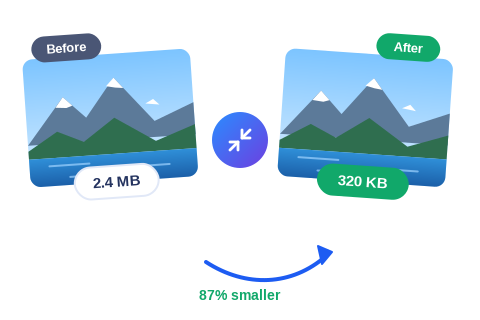
Simple tools that do one job well, without the catches.
Files are processed in your browser. Nothing is uploaded or stored.
No upload or download wait. Most files are ready in a second or two.
Every tool is free to use, and we never stamp your files.
Open a tool and start. No account, email or install needed.
Use it on your phone, tablet or computer in any modern browser.
Preview every change and choose quality, size and format yourself.
Short guides to getting the most out of your images and files.
What size should a favicon be? Here is every size in one table, what each one is for, the size Google uses and how to make all the files from a single image.
Matric, FSc or university, here is how to work out how many hours you really need to study each day, with simple examples, a sample timetable and tips that actually help.
Make unreadable JSON easy to read, find the exact line of a syntax error, and fix the mistakes that break JSON most often: trailing commas, quotes and comments.
Can’t find your answer? Send us a message.
Yes. Every tool on FreeToolBox is free to use with no sign-up, no watermark added to your files and no daily limit.
No. All of our tools process files directly in your web browser using JavaScript. Your images and PDFs never leave your device, and we never see or store them.
The image tools accept JPG, PNG and WebP, and most also accept GIF and BMP. The PDF tools create PDFs from images and turn PDF pages into JPG or PNG images. Each tool page lists exactly what it accepts.
Most image tools accept files up to 50 MB and the PDF to Image tool accepts PDFs up to 100 MB. Very large images can still fail on phones with little memory; if that happens, try a smaller image or a computer.
Yes. The site works in current versions of Chrome, Safari, Firefox and Edge on phones, tablets and computers.
Creating WebP files depends on your browser. Chrome, Edge and Firefox can create WebP images; some versions of Safari cannot. If WebP is not offered, use one of those browsers or pick JPG or PNG instead.
We have free calculators for percentage, GPA, CGPA, grades, attendance, final exam marks, age and study hours, plus a study timetable generator and an assignment word counter. Like our image tools, they run in your browser, so nothing you type is saved.
Yes. We have a JSON formatter, JSON to CSV converter, SQL and HTML formatters, CSS and JavaScript minifiers, Base64 and URL encoders, a regex tester and UUID, meta tag, robots.txt, sitemap and slug generators. Your code stays in your browser.